
Q. How do I log in to BingoBash.com using my Facebook account?
Yes! You can easily log in to BingoBash.com using your Facebook account.
Follow these simple steps:
- Make sure you are already logged in to your Facebook account in the same web browser.
- Visit https://www.bingobash.com/
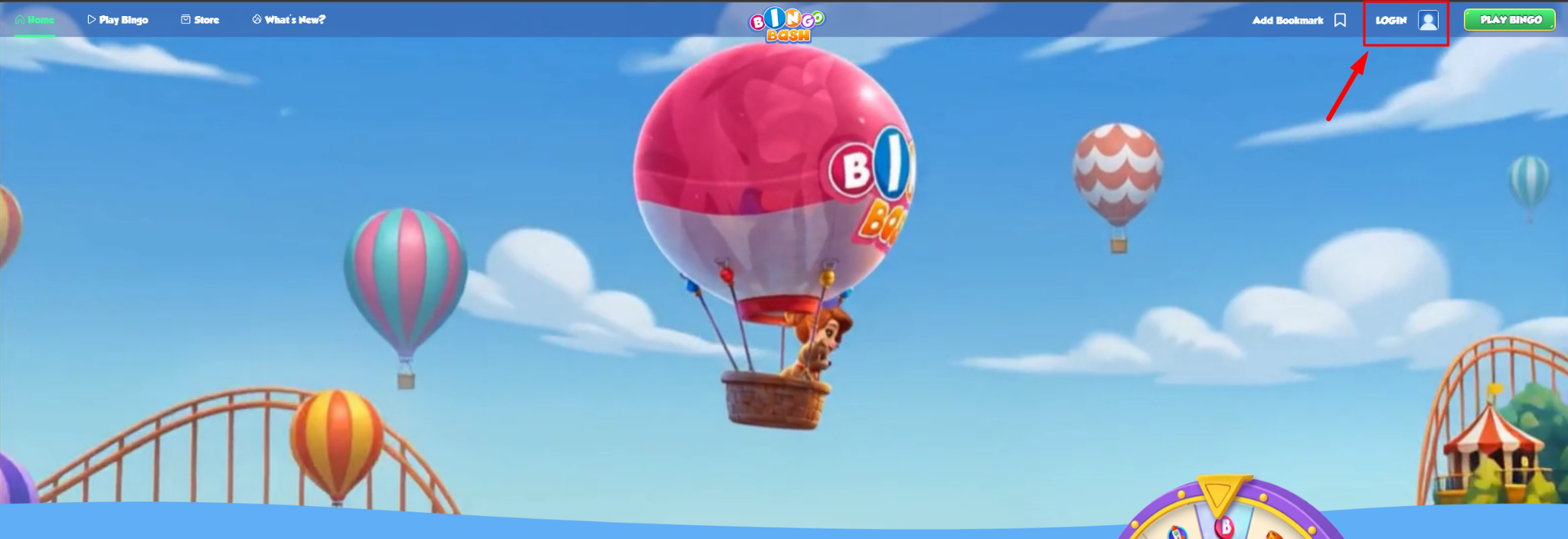
- Click the Login button located in the top-right corner of the page.
- Select Login with Facebook.
- When prompted, click Continue as [Your Facebook Name].
- You will be successfully logged in to your Bingo Bash account.
Tip: Ensure that you're signed in to the correct Facebook account before clicking Login with Facebook, especially if you have multiple Facebook accounts.
Refer to the image above for the location of the Login button.
Q. How do I switch between Bingo Bash accounts on the website?
If you are currently logged into a different or unintended Bingo Bash account, you will first need to log out and then sign back in using the correct Facebook account.
To switch accounts:
Step 1: Log out of your current Bingo Bash account
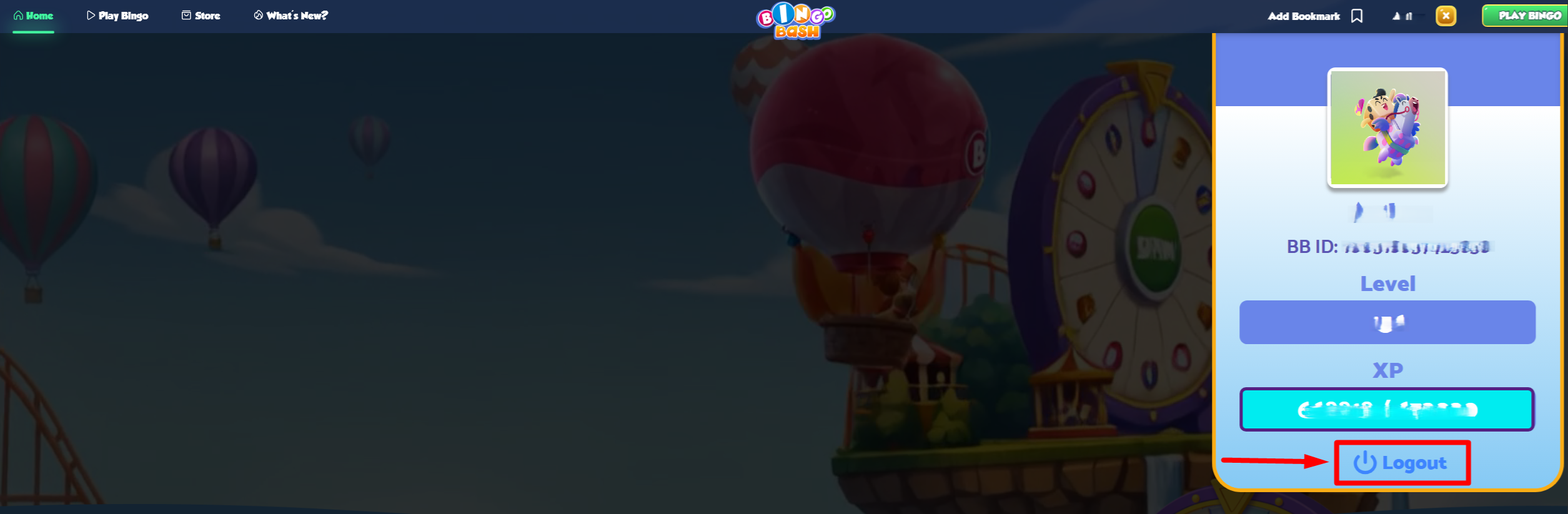
- Click on your Profile Icon located in the top-right corner of the screen.
- Select Logout.
- Wait until the logout process is completed successfully.
Refer to the image above to locate the Log-out button.
Step 2: Log in with the correct Facebook account
- Ensure that you are logged into the correct Facebook account in the same browser.
- Visit https://www.bingobash.com/
- Click Login.
- Select Login with Facebook.
- Click Continue as [Your Facebook Name].
- You will now be logged into the intended Bingo Bash account linked to that Facebook profile.
Important: Bingo Bash website accounts are connected to the Facebook account used during login. Always verify your Facebook account before signing in.
Refer to the image above to locate the Log-out button.
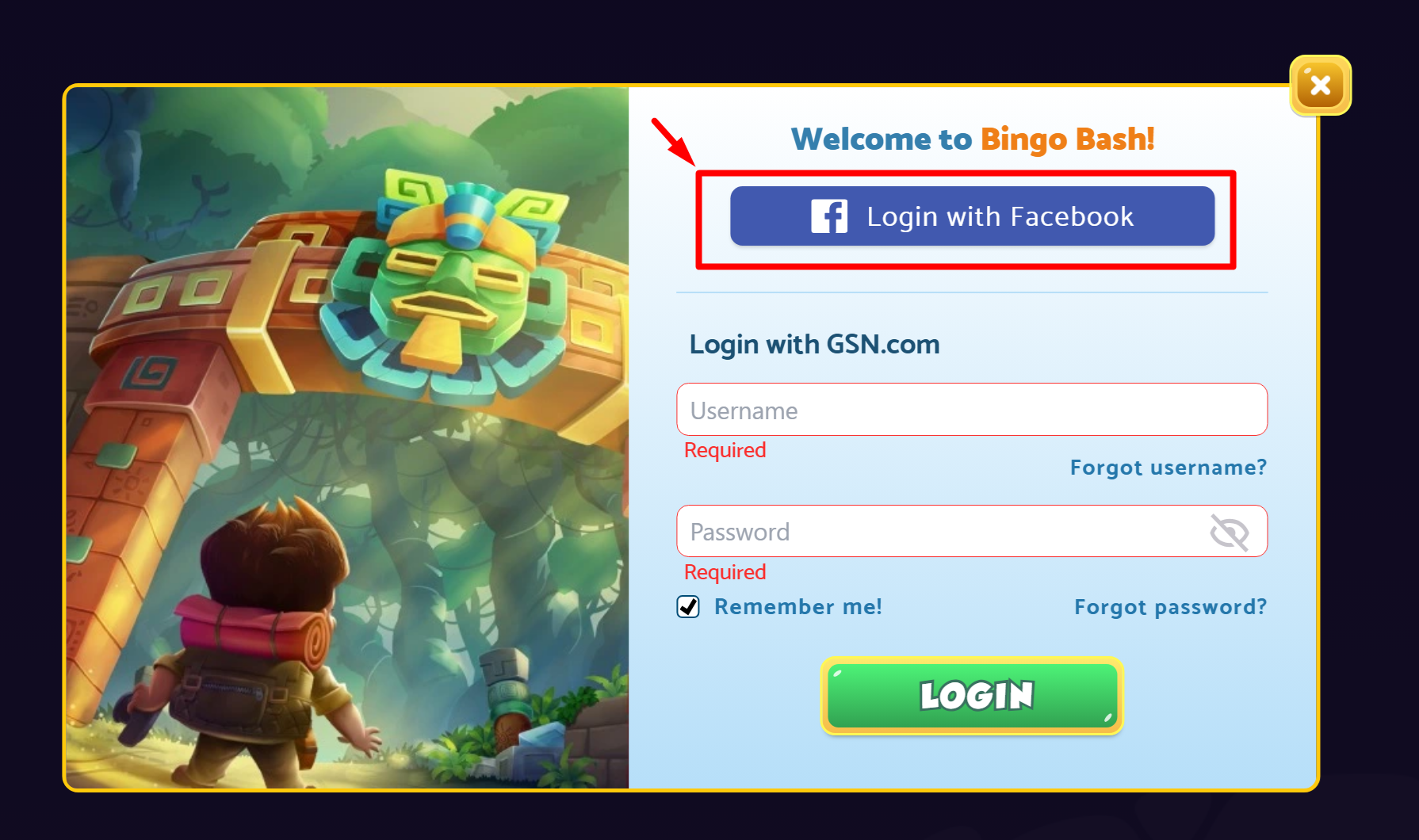
Disclaimer: Login with Facebook v/s Login with GSN.com are different Login methods. Do not key-in your Facebook log-in credentials into the GSN.com fields.
Q. I'm unable to log in using the "Login with Facebook" option. What should I do?
We're sorry you're experiencing difficulties logging in. Most login issues can be resolved by following the troubleshooting steps below.
Try these troubleshooting steps:
Try clearing your web browser cache and cookies:
- Completely close your browser.
- Reopen the browser.
- Log in to the correct Facebook account.
- Visit https://www.bingobash.com/
- Click Login → Login with Facebook.
- Select Continue as [Your Facebook Name].
Still unable to log in?
If the issue persists after completing the above steps, please contact our Support Team for further assistance. Our team will be happy to help investigate and resolve the issue.
Helpful Tips for a Smooth Login Experience
✔ Use the same browser for both Facebook and Bingo Bash login.
✔ Confirm that you are signed in to the correct Facebook account before accessing BingoBash.com.
✔ Keep your browser updated to the latest version.
✔ Clear browser cache and cookies regularly if you encounter login-related issues.
✔ Avoid using multiple Facebook accounts in the same browser session when possible.
Happy Playing, and Good Luck in Bingo Bash! 🎉🍀