
Why am I seeing this message?
If you see the following error on Facebook:
“Based on your age or sensitive content settings, Bingo Bash isn't available to you at this time.”
it means your Facebook Sensitive Content preferences are currently restricting access to the game.
This can usually be fixed by updating your Facebook privacy settings.
How to Fix It
Please follow these steps on Facebook:
Step 1: Open Facebook Settings
- Click your profile picture in the top-right corner of Facebook.
- Select Settings & Privacy.
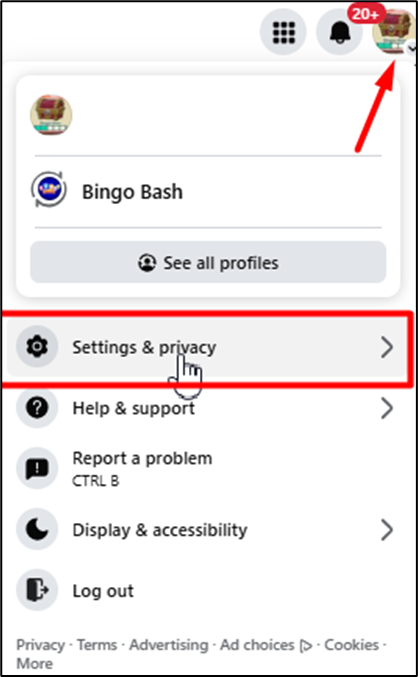
Step 2: Open Content Preferences
- In the Settings menu, click Content Preferences.
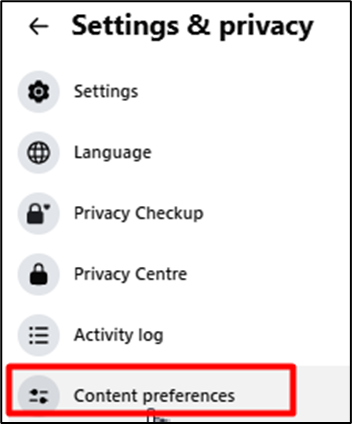
Step 3: Update Sensitive Content Settings
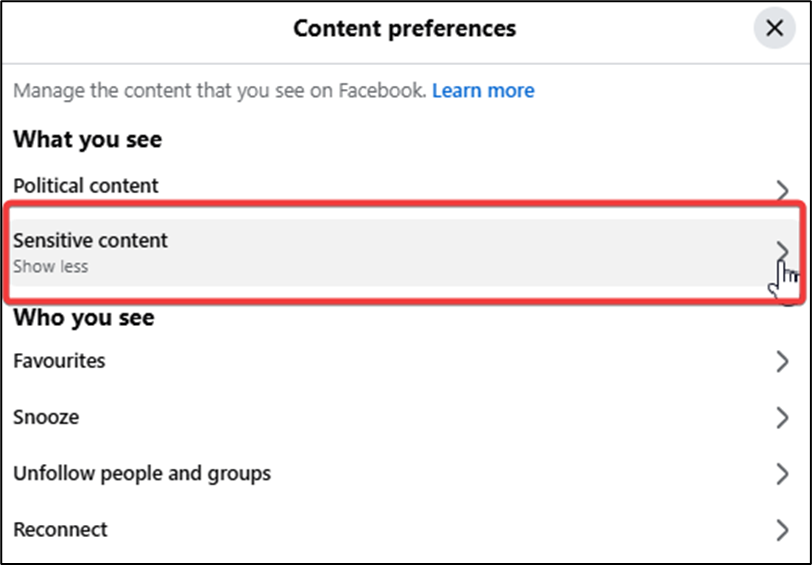
- Select Sensitive Content.
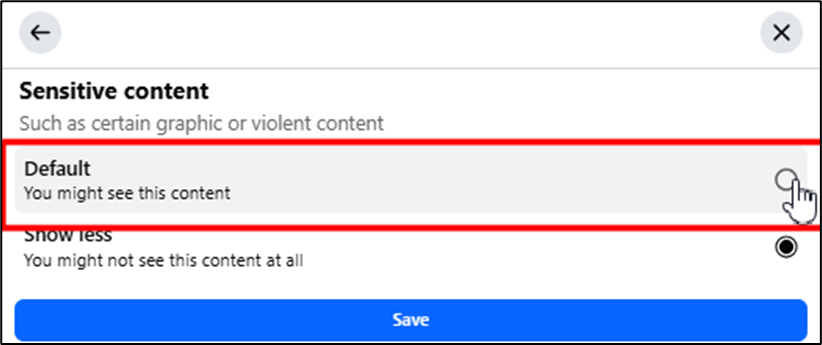
- Change the setting from “Show less” to “Default”.
- Click Save.
- Click OK
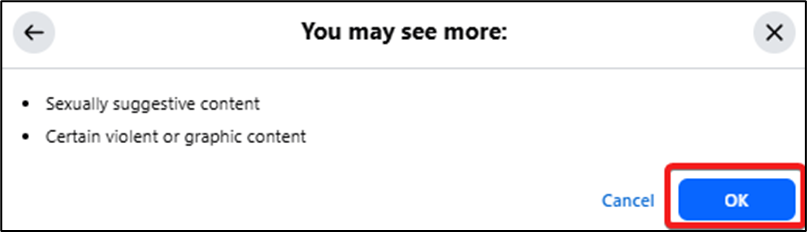
Step 4: Restart Facebook
- Refresh your browser or restart the Facebook app.
- Launch Bingo Bash again.
Still Unable to Access the Game?
If the issue continues after updating your settings:
- Make sure your Facebook age is set correctly and that you meet the minimum age requirements.
- Try clearing your browser cache or using a different browser/device.
- Log out and back into Facebook before reopening the game.
If you still need help, please contact Bingo Bash Support with a screenshot of the error message.