We love rewarding our players with surprise gifts shared on our official social media pages like Facebook, Instagram, and Twitter!
If you recently clicked on a gift link but didn’t see the reward in your game right away, here are a few quick tips to help make sure everything goes smoothly:
✅ Quick Tips Before Claiming a Gift:
Fully close the game app before clicking the gift link — this helps the game sync properly and ensures your reward is added to your account.
Click the link only once and give it a moment to load — multiple rapid clicks may cause the link to expire or fail to register.
Make sure you're logged into the correct account when launching the game — rewards are sometimes tied to a specific user session.
🧠 Already tried the above but didn’t get the reward?
No worries — we are here to help!
To get in touch with us:
📍 Scroll to the bottom of this article and tap the purple chat icon (see image below)
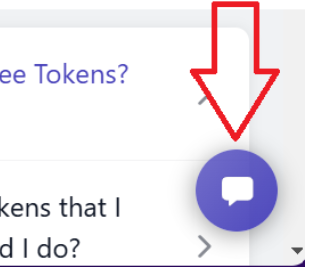
➡️ This will open a conversation with our support team.
📝 Please share these details when you reach out:
The platform you saw the gift on (Facebook, Instagram, etc.)
Approximate time/date you clicked the link
Any message or behavior you noticed after clicking